Quick Overview
The IEEPA tariff refund is a US Customs refund process that allows eligible importers to recover additional duties paid on qualifying shipments by filing a claim through the CAPE system inside the ACE portal.
This involves the following key points:
- Up to USD 166 billion is estimated to be available for tariff refunds, and nearly 330,000 importers may be eligible.
- CBP launched the CAPE refund filing system on April 20, 2026.
- Refunds are issued to the Importer of Record (IOR) or an authorized designated party (via ACE / Form 4811).
- The importer must have an active ACE account and have completed ACH bank setup to receive payments.
- Refund claims are filed by uploading a CSV file containing entry numbers.
- Refund status can be tracked inside ACE using REV-603 and REV-613 reports.
Intoglo has been featured in The Economic Times for helping Indian exporters unlock significant US tariff refunds under IEEPA.
Before moving to the filing process, we recommend reading our detailed article on IEEPA Tariff Refunds Are Being Rolled Out: Is Your ACE Ready? If you want a clear explanation of what the IEEPA tariff refund is, who is eligible, and which shipments qualify under CAPE Phase 1.
🎥 How Businesses Can Claim IEEPA Tariff Refunds: Intoglo Webinar Insights


On April 22, Intoglo hosted a focused session in partnership with Skydo to break down the IEEPA Tariff Refund opportunity and help trade professionals understand how to check eligibility, set up ACE, and file through CAPE without errors.
Over 190+ exporters joined to learn how to avoid missed claims and understand refund timelines.
▶ Watch the Full WebinarHow to File Your IEEPA Refund Claim: A Complete Process
Filing your IEEPA refund requires setting up your ACE account, submitting your CAPE claim, and tracking your refund status in the portal.
ACE Account Setup

Before filing, ensure your ACE account is active and properly set up, as CAPE submissions and refund payments cannot be processed without it.
1. Confirm your email on Form 5106: Ensure your importer record (Form 5106) has the correct email address, as CBP will use this for all communication.
2. Request an ACE Portal account: If you do not already have access, complete the account request form at https://ace.cbp.gov/s/login/.
3. Add ACH refund information: Log in to ACE → Accounts → Importer → Select Company → ACH Refund Authorization. Enter banking details and click 'Get Info/Refresh'.
Verify all entries are visible in ACE by checking the Reports section for entry number, liquidation status/date, and duty paid. If any entries are missing, contact your IOR or customs broker immediately-entries not listed in ACE are not eligible for Phase 1.
CAPE Filing Process

Once your ACE account is fully set up, follow these steps to submit your IEEPA refund claim through the CAPE system.
1. Prepare your CSV file: Create a single-column file with the header "Entry Number." List all your 11-character entry codes, one per row. A maximum of 9,999 entries is permitted per file.
2. Log in to ACE: Access your importer account on the ACE portal.
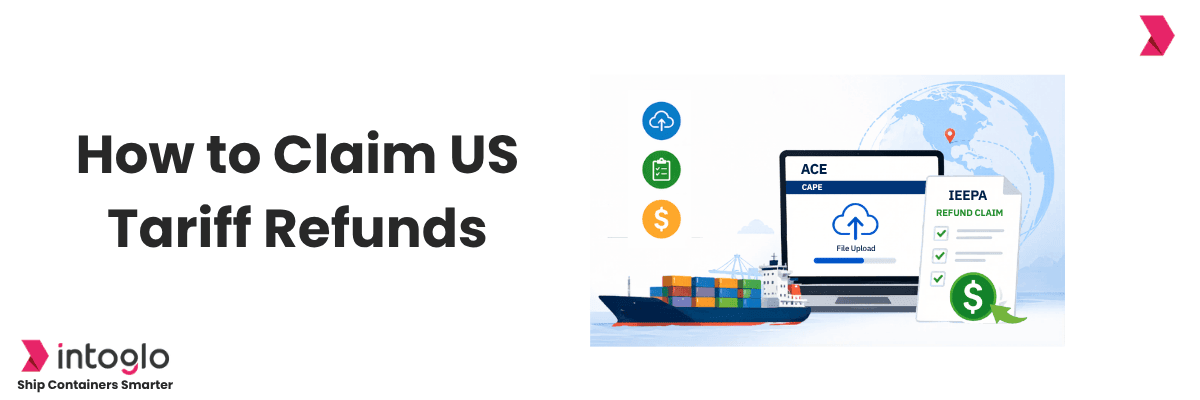
3. Navigate to the CAPE tab: Inside your importer account, click on the CAPE tab and then select "File Uploads."
4. Acknowledge the declaration: Before uploading, confirm the entry details are accurate and compliant. False declarations can result in civil penalties or criminal prosecution.
5. Upload your file: Upload your completed CSV. The system will then validate your entries.
6. Receive your CAPE claim number: Once the system accepts and validates your file, a CAPE claim number is generated. This confirms successful submission. Accepted entries move forward for processing; rejected entries are flagged with specific error reasons and must be corrected and re-filed separately.
Note: No edits are allowed once a CAPE declaration is filed. However, IORs and brokers can submit multiple CAPE declarations. Entries that are extended, suspended, or under review will maintain their liquidation status, with refunds issued at the time of liquidation.
Tracking Your Refund Status
Once your CAPE declaration is submitted and accepted, you can monitor your refund progress directly within the ACE portal.
1. REV-603 (Trade Refund Report): This report shows all refunds that have been successfully processed. It includes the amount refunded, entry details, and current payment status.
2. REV-613 (ACH Rejected Refund Report): This report shows refunds that failed due to missing ACH setup, incorrect bank details, or refund authorization not enabled.
3. Financial Adjustment Rule: If you have any outstanding dues with CBP, the refund amount will first be applied against those pending dues. Only the remaining balance, if any, will be paid out to your account.
4. Expected timeline: Refunds are generally issued within 60–90 days following acceptance of the CAPE declaration. Note that this timeline is based on third-party sources; CBP has not officially published a fixed processing timeline on its website.
IEEPA Refund Filing Checklist
Before and after filing, keep this checklist handy to make sure nothing is missed at any stage of the process.
- Confirm who filed the US entry - IOR or customs broker.
- Confirm the importer's email is correctly recorded on Form 5106.
- Ensure ACE portal access is active and complete the ACH bank setup on ACE.
- Check that all duty data and entry summaries are visible on ACE.
- Verify the shipment qualifies under CAPE Phase 1.
- Stay in touch with your freight forwarder for accurate entry details.
- Prepare the entry number CSV file in the correct format and upload it.
- Track CAPE submission status and review accepted and rejected entries.
- Wait for refund processing and ACH payout to your registered bank account.
If you export from India to the USA, Intoglo can support you with updated sailing schedules, transparent freight quotes, and documentation coordination. If required, Intoglo also assists with ACE setup for 100 USD per account, helping you stay compliant before filing CAPE claims.
Want help with ACE setup or India–USA shipping queries? Reach out to Intoglo.
📩 contact@intoglo.com | 📞 +91 84697 08714
Conclusion
The IEEPA tariff refund process through CAPE represents a meaningful financial recovery opportunity for those who shipped to the US during the period when additional duties applied. To claim successfully, confirm your IOR status, complete ACE/ACH setup, and file accurate entry numbers in the CSV.
FAQs
Can an Indian exporter directly claim the IEEPA refund?
Only if the Indian exporter acted as the Importer of Record (IOR) or used their own US customs bond, otherwise, the US buyer or their IOR receives the refund.
What is the CAPE system?
CAPE (Customs Automated Processing Engine) is the CBP platform through which IEEPA duty refund claims are filed via the ACE portal using a CSV upload.
How long does it take to receive the refund?
Refunds are generally processed within 60–90 days of a CAPE declaration being accepted, though officially CBP has not published a fixed timeline.
What happens if my entry is rejected by CAPE?
Rejected entries are flagged with specific error reasons. They must be corrected and re-filed separately. IORs and brokers can submit multiple CAPE declarations.
Is there a deadline to file?
The CAPE system has been active since April 20, 2026. There is no officially stated final deadline, but given eligibility windows (such as the 80-day liquidation buffer), filing promptly is strongly advised.